How to Enter Your Personalization Correctly
Use this checklist to prevent spelling, capitalization, spacing, and location mistakes in your custom text.
Enter the final text, not an instruction
Type only what should appear in the design. For example, enter “ALEX” instead of “Please print the name Alex.”
Check spelling character by character
Names and small hometowns may not be recognized by automatic spelling tools. Compare the text with a trusted source before submitting it.
Choose capitalization intentionally
Uppercase, lowercase, and title case can look different in the finished design. The preview shows how your entry will be used.
Keep location formats consistent
For a city and state, a clear format is “AUSTIN, TX.” Use the version of the location that is meaningful to the recipient.
Avoid unnecessary spaces and punctuation
Remove extra spaces before or after the text. Add punctuation only when it is part of the intended design.
Review the current mockup
Generate the design preview after entering the text. If you change the text or product color, wait for the updated mockup and check it again before adding the product to the cart.
Designs to personalize
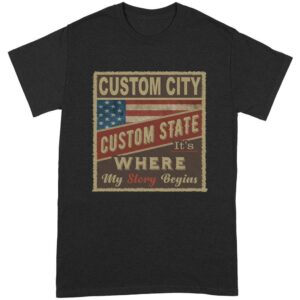 ↗
↗My Story Begins Here USA Flag Custom City T-Shirt
 ↗
↗