How to Order a Personalized Product
Follow these simple steps to choose a design, enter your details, review the preview, and place your personalized order with confidence.
1. Start with the story you want to tell
Choose the detail that makes the gift personal: a name, hometown, city, birth year, anniversary year, or short message. Keep the text meaningful and easy to read.
2. Choose a design and product
Open a design you like, then select the product style, color, and size. The same design may be available on T-shirts, hoodies, sweatshirts, mugs, and other gifts.
3. Enter your personalization
Type the custom text exactly as you want it printed. Check spelling, capitalization, punctuation, and spacing before generating the preview.
4. Review the mockup
Use Get Your Design to preview the personalization. Change the product color to view the matching mockup, then confirm that the text remains clear and balanced.
5. Add to cart and check the details
Your cart should show the selected product, color, size, quantity, and custom text. Review all of these details before checkout.
6. Complete checkout
Enter a complete shipping address, choose a delivery method, accept the terms, and finish payment. Save the order confirmation for reference.
Before you submit
- Check every letter in the personalized text.
- Confirm the correct size and color.
- Make sure apartment or unit information is included.
- Review the estimated production and delivery time.
Designs to personalize
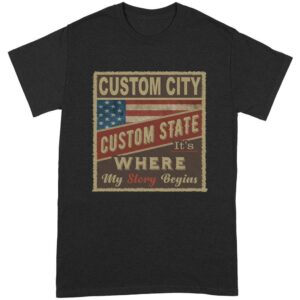 ↗
↗My Story Begins Here USA Flag Custom City T-Shirt
 ↗
↗